Demo application
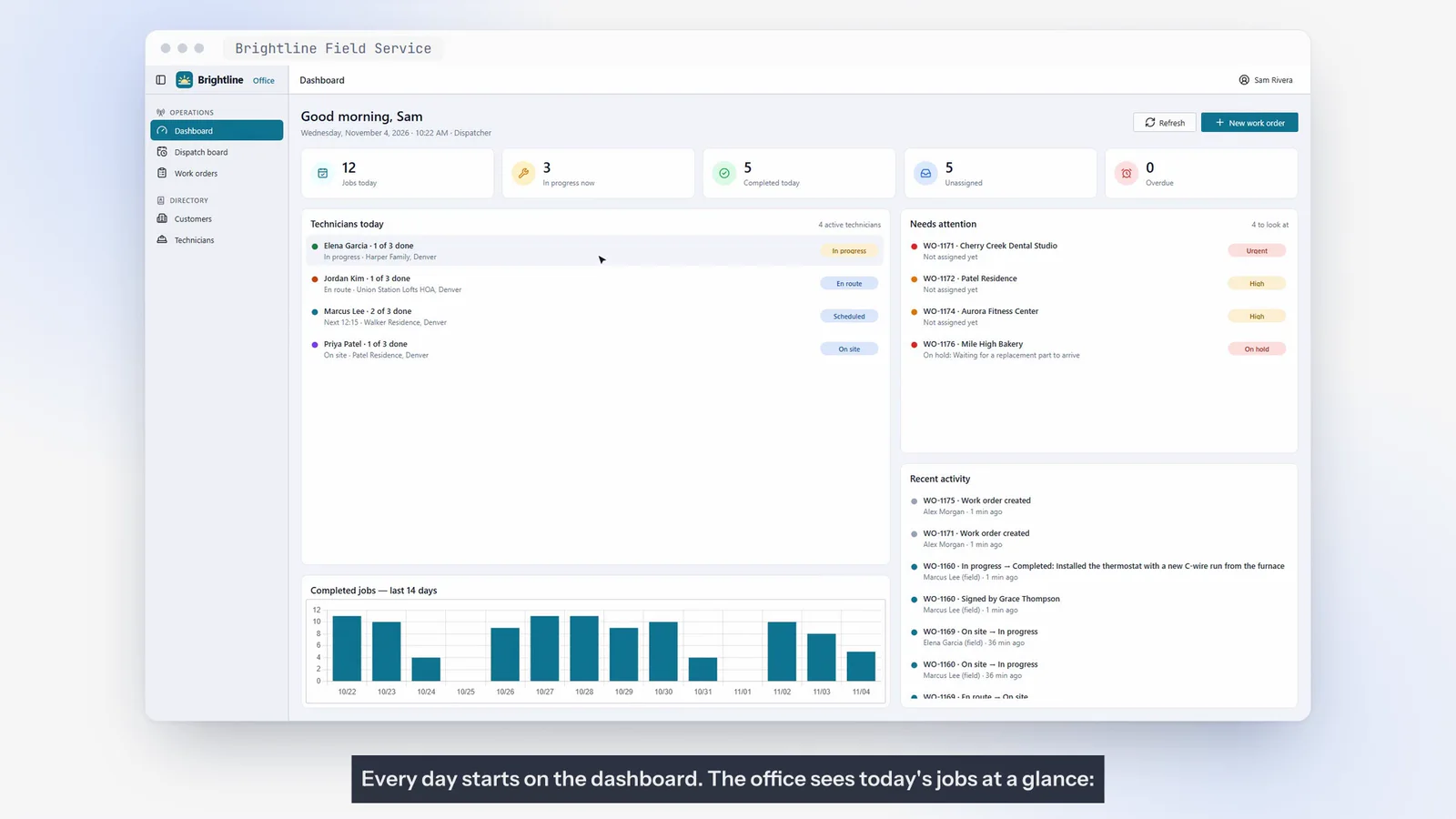
Brightline Field Service
Office & dispatch app + technician phone app
From the first call to the customer’s signature.
- Customers & locations
- Work orders
- Scheduling
- Dispatch board
Shop management for independent auto repair: booking and check-in, digital inspection, estimates with customer approval, the repair, the invoice and payment — with service history and reports for the owner.
Shown with a fictional shop, “Northside Auto Care”. This is a demonstration application and a customizable starting point — not a customer deployment.
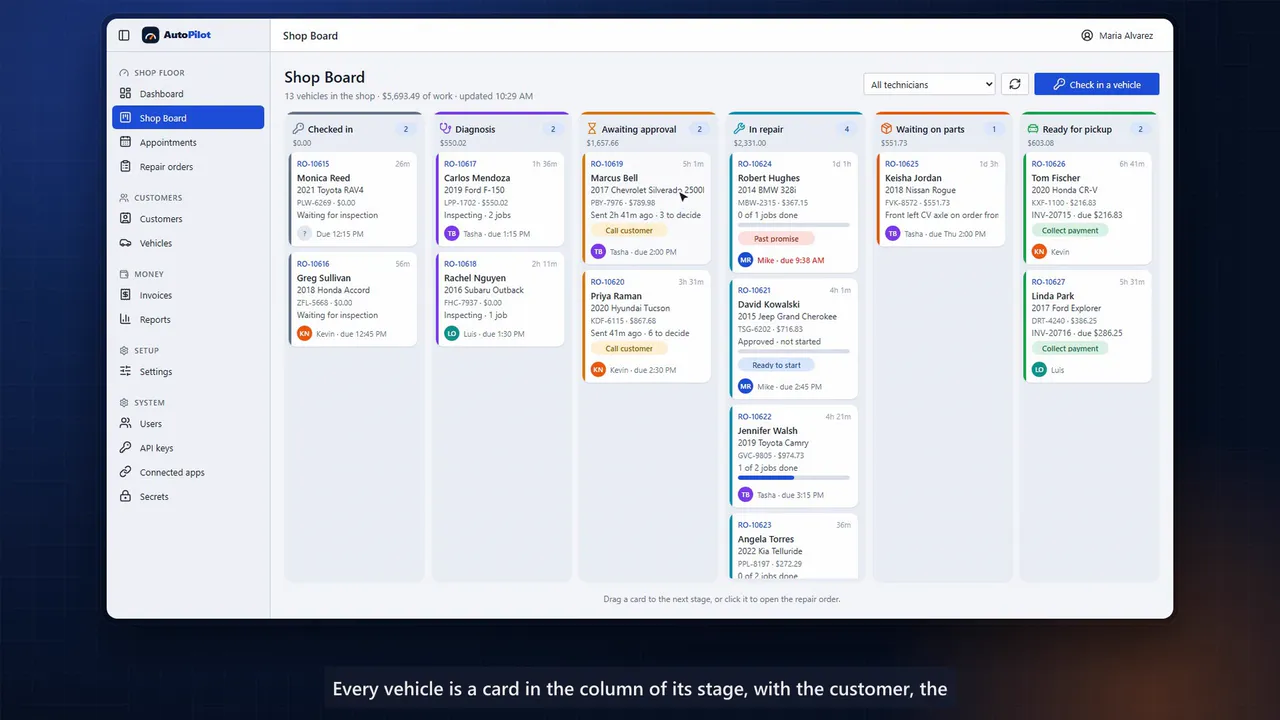
Every vehicle is a card in the column of its stage, with the customer, the value of the work, the technician and the promised time. Drag a card and the work moves on.
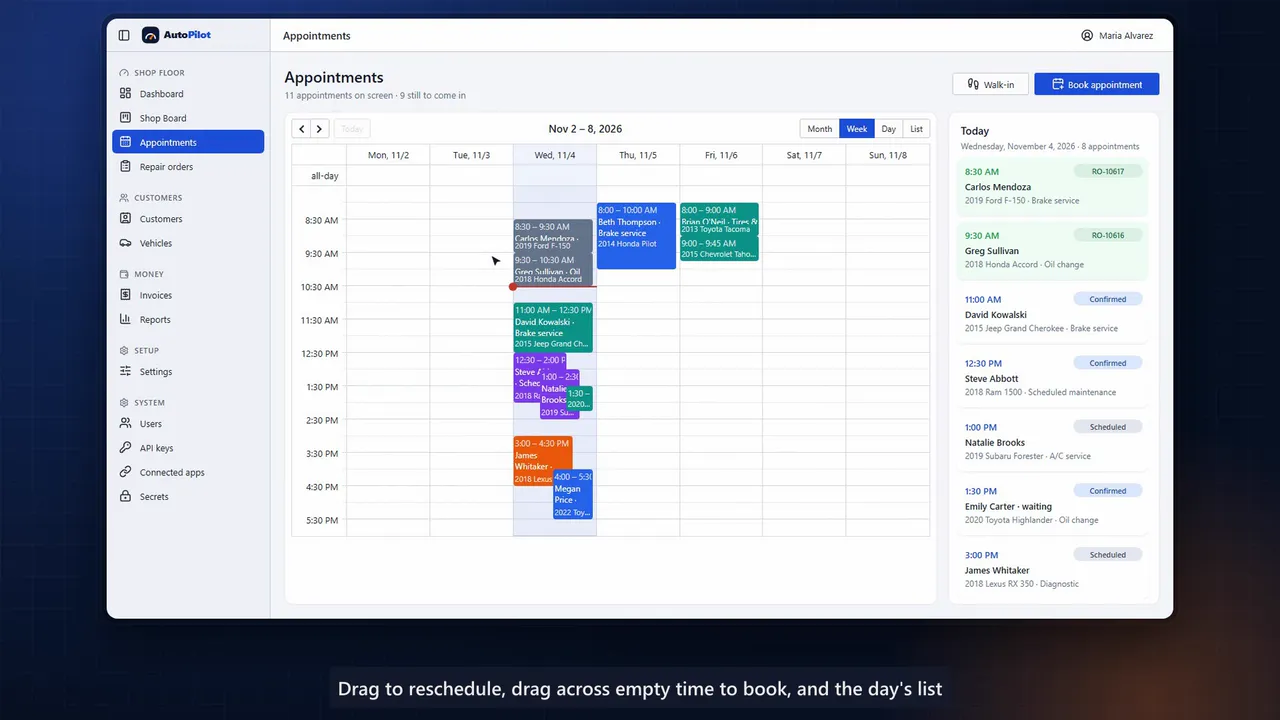
Drag to reschedule or book; opening hours and each technician’s schedule are checked as you book.
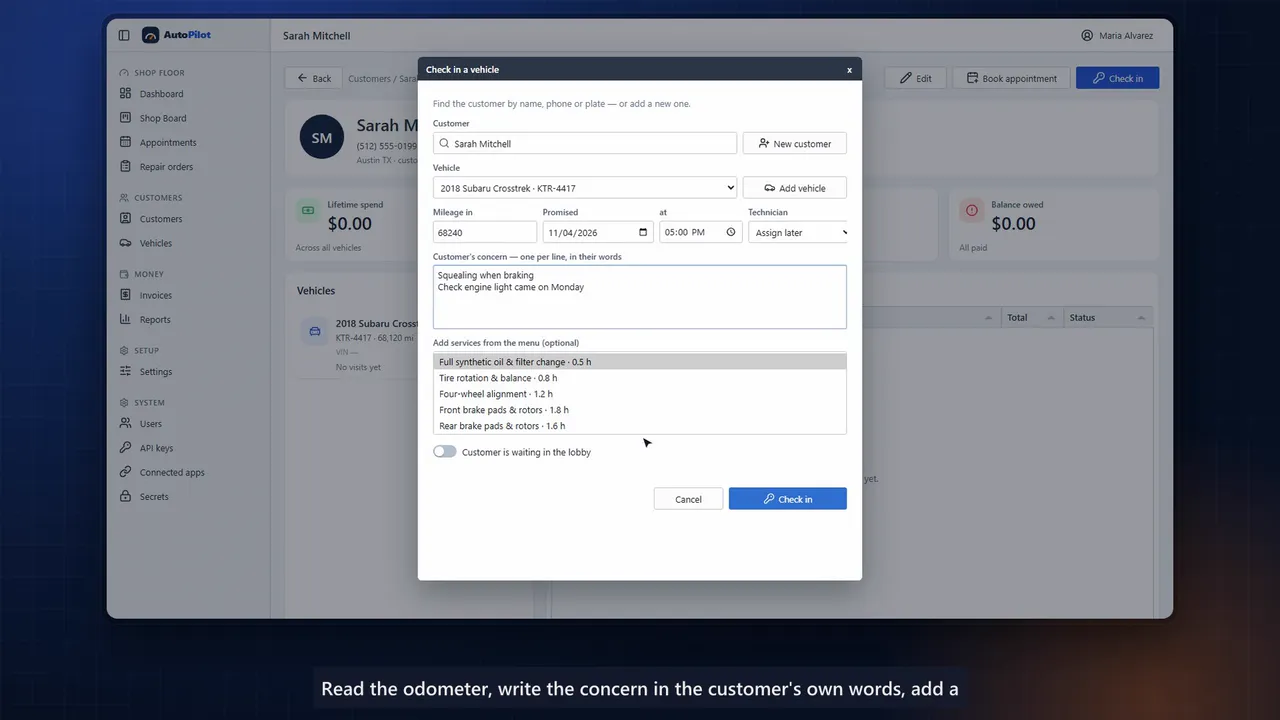
Odometer reading, the concern in the customer’s own words, a service from the menu — and the repair order opens.
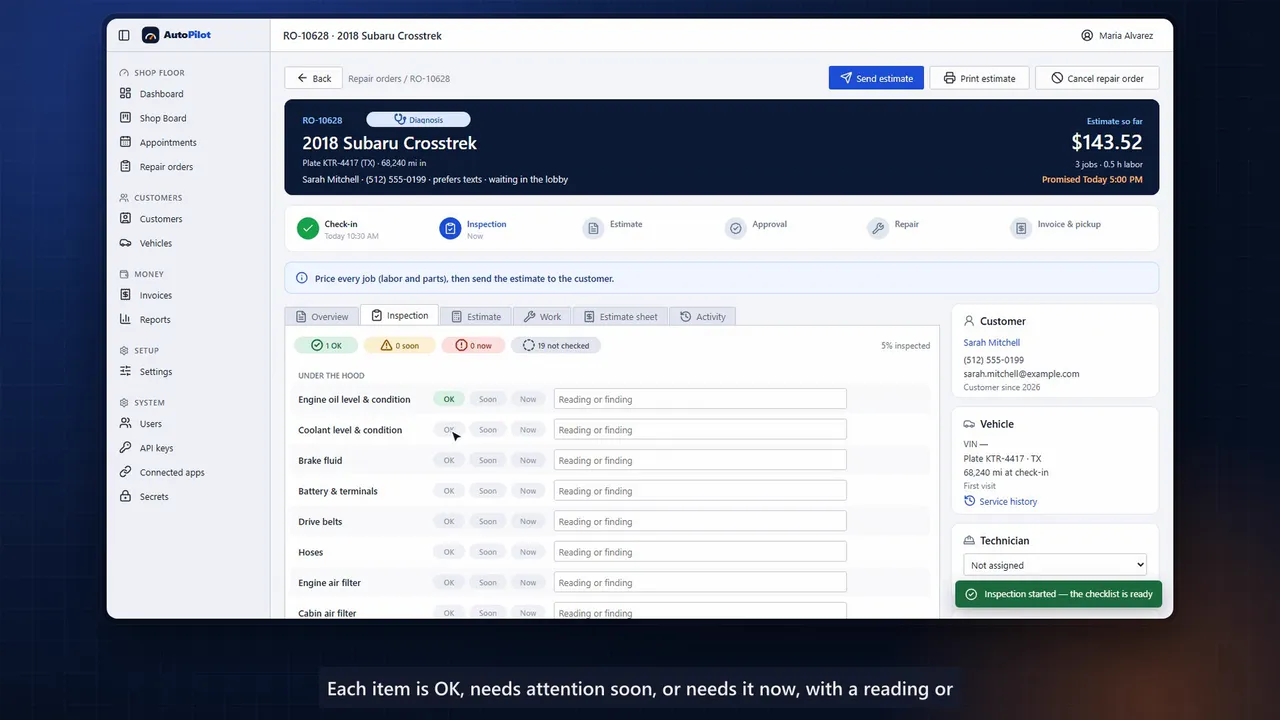
A 20-point inspection rates each item OK, soon or now. One click turns a finding into a job with labor at the shop’s rate and the parts it needs.
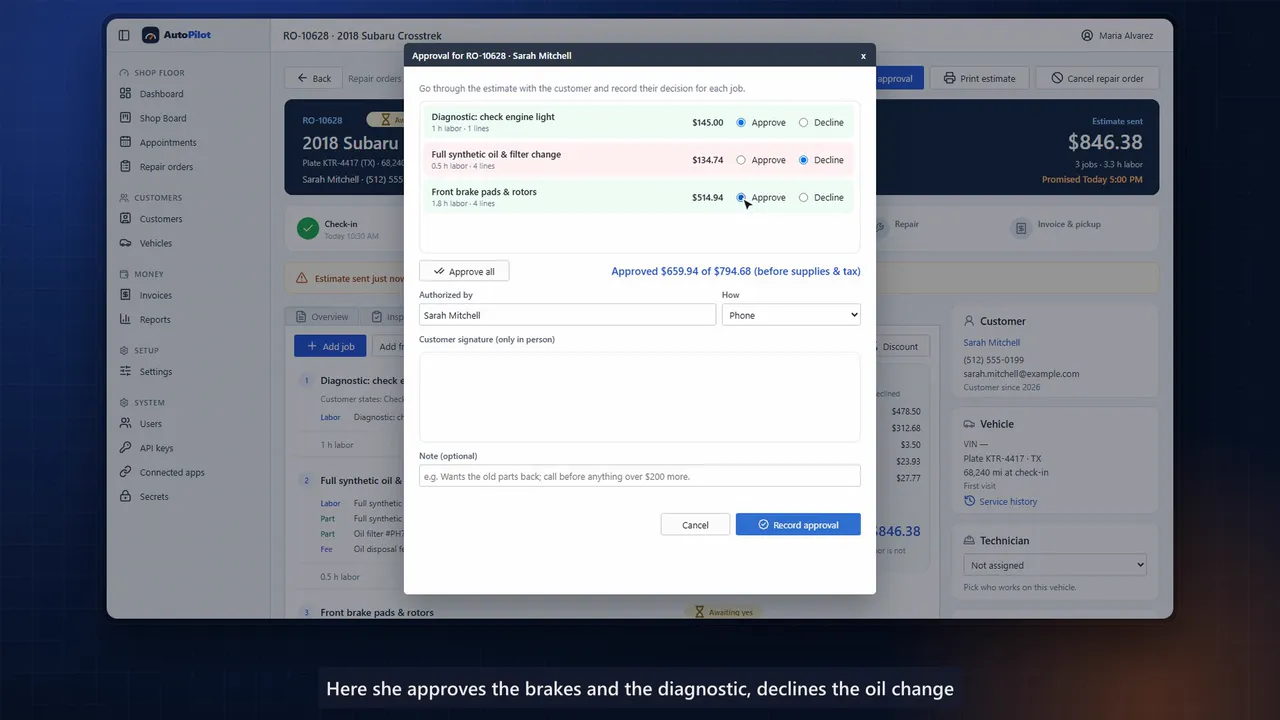
The customer approves or declines each job and signs on screen. Who authorized the work, how and when stays with the repair order.
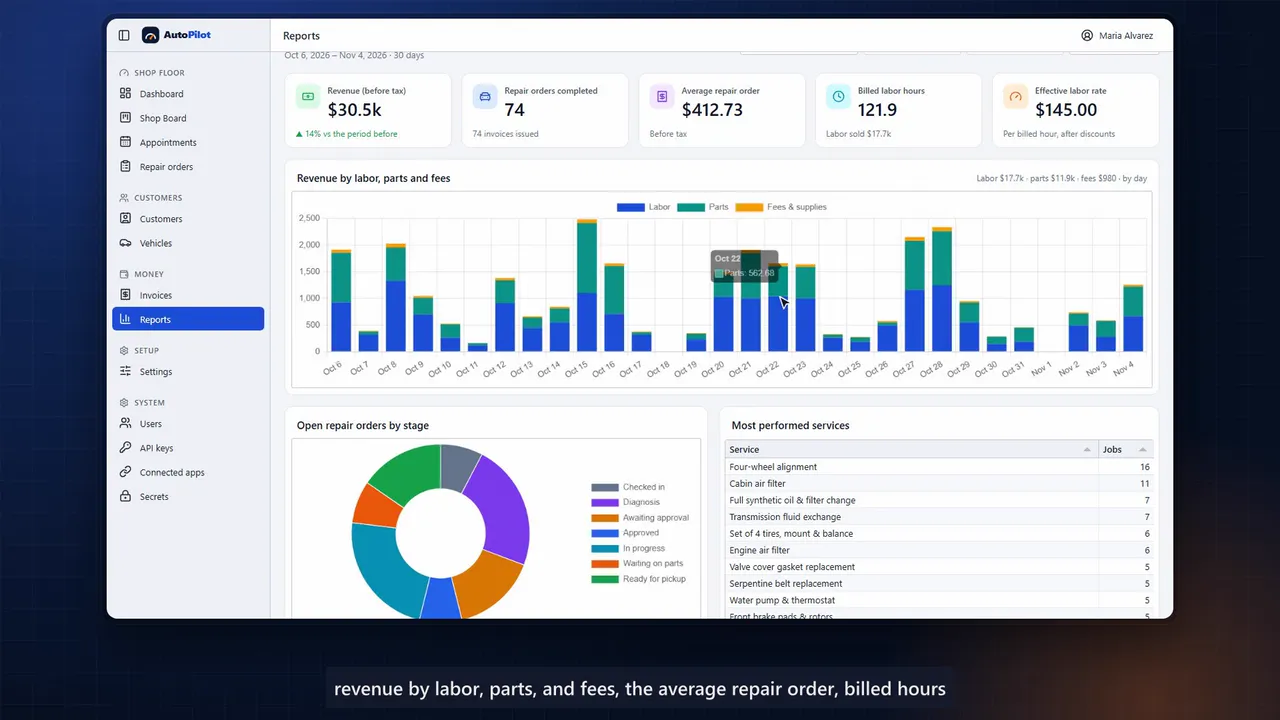
Revenue by labor, parts and fees, average repair order, billed hours, effective labor rate, open work by stage and technician productivity.
Modules shown
Frames from the walkthrough. Every screen can be adapted — fields, workflows, terminology and branding.
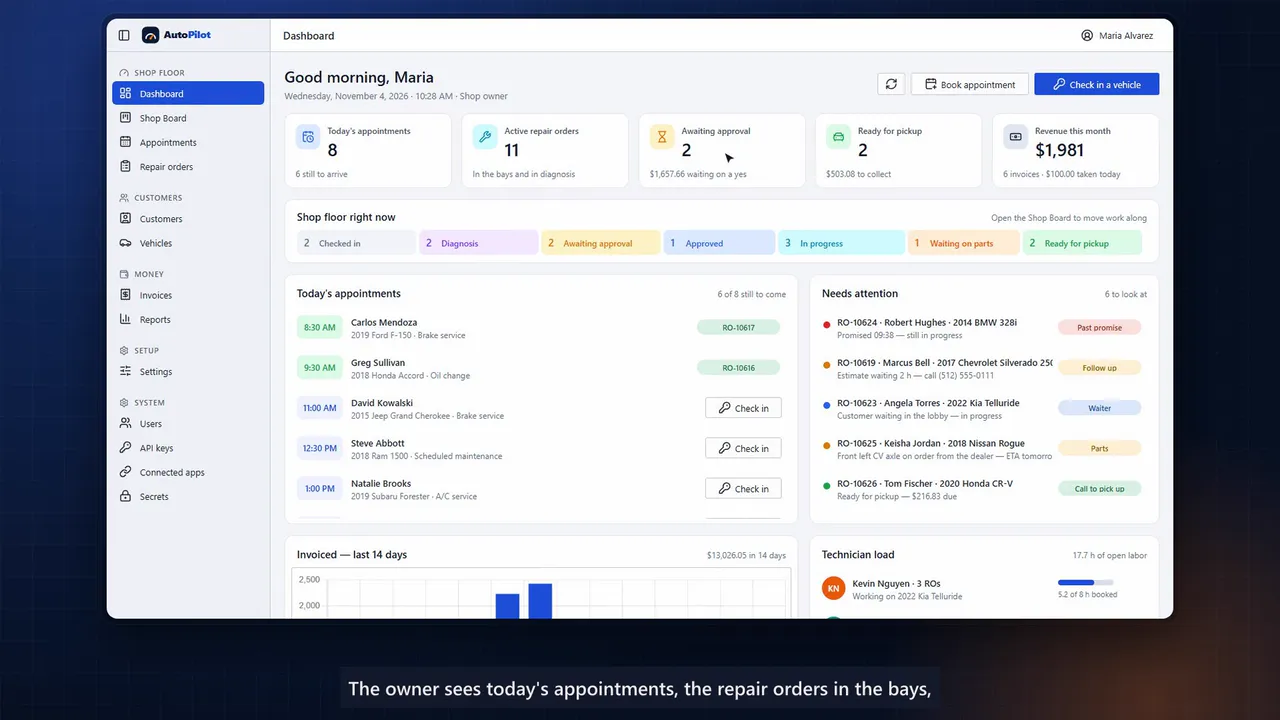
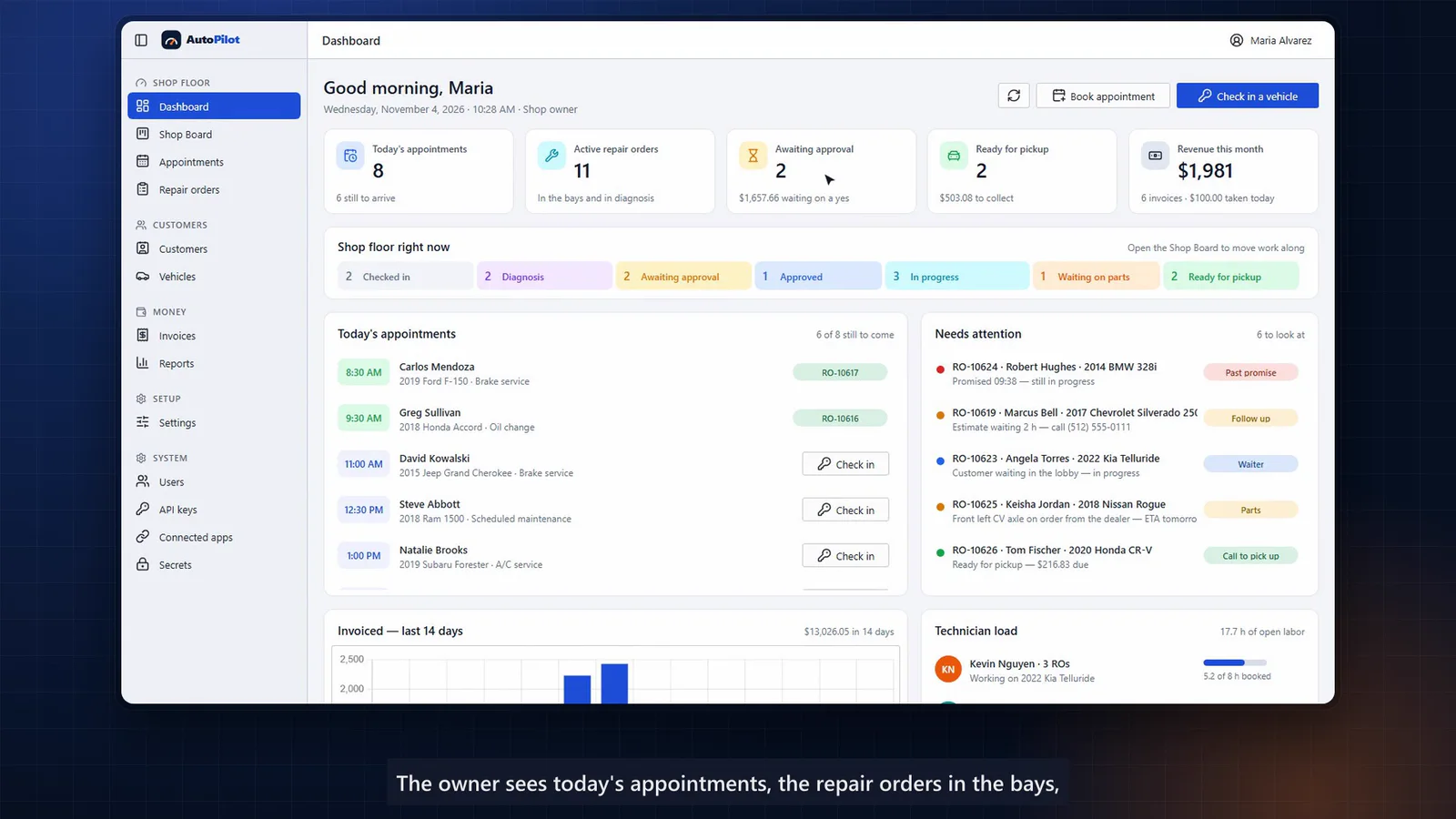
This is AutoPilot, a shop management system for independent auto repair shops. One app runs the whole visit. Booking and check-in, inspection, estimate and approval, the repair, the invoice, and payment. The day starts on the dashboard.
The owner sees today's appointments, the repair orders in the bays, estimates waiting on a yes, cars ready for pickup, and this month's revenue. Below, the shop floor, stage by stage, what needs attention right now and how many hours each technician has booked. The shop board is the floor at a glance. Every vehicle is a card in the column of its stage, with the customer, the value of the work, the technician, and the promised time.
Drag a card to the next stage and the work moves on, following the same rules as the rest of the app. Appointments live on a service calendar. Drag to reschedule, drag across empty time to book, and the day's list shows who's still to come in. Opening hours and each technician's schedule are checked as you book.
A new customer calls. The advisor adds her and her car in one step. Contact details, year, make and model, the plate, and the mileage. When the car arrives, check-in takes seconds.
Read the odometer, write the concern in the customer's own words, add a service from the menu, and the repair order opens. The technician runs a 20-point inspection. Each item is okay, needs attention soon, or needs it now, with a reading or a note. One click turns a finding into a priced job, with labor at the shop's rate and the parts it needs.
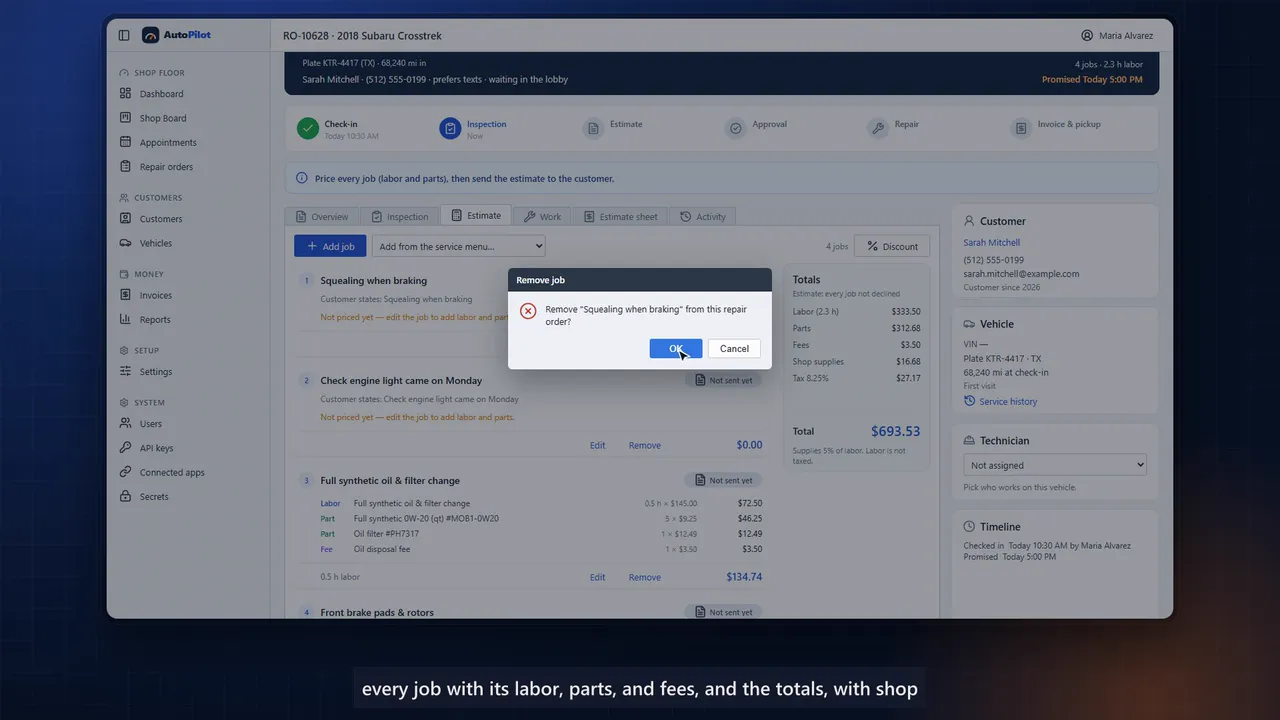
The estimate brings it together. Every job with its labor, parts, and fees, and the totals, with shop supplies and sales tax worked out automatically. Common services come from a menu, and every line can be edited before the estimate goes to the customer. The customer decides job by job.
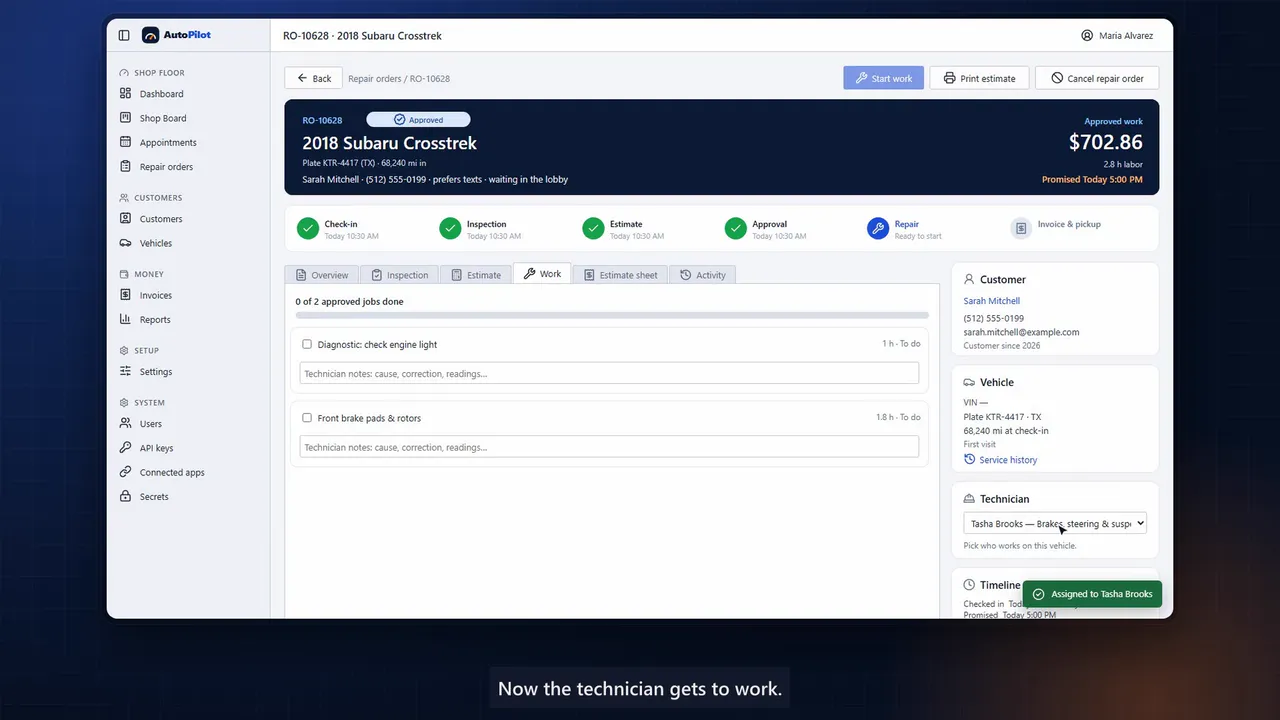
Here, she approves the brakes and the diagnostic, declines the oil change for now, and signs right on the screen. Who authorized the work, how, and when stays with the repair order. Now the technician gets to work. Approved jobs appear on the Work tab, to check off as they're done.
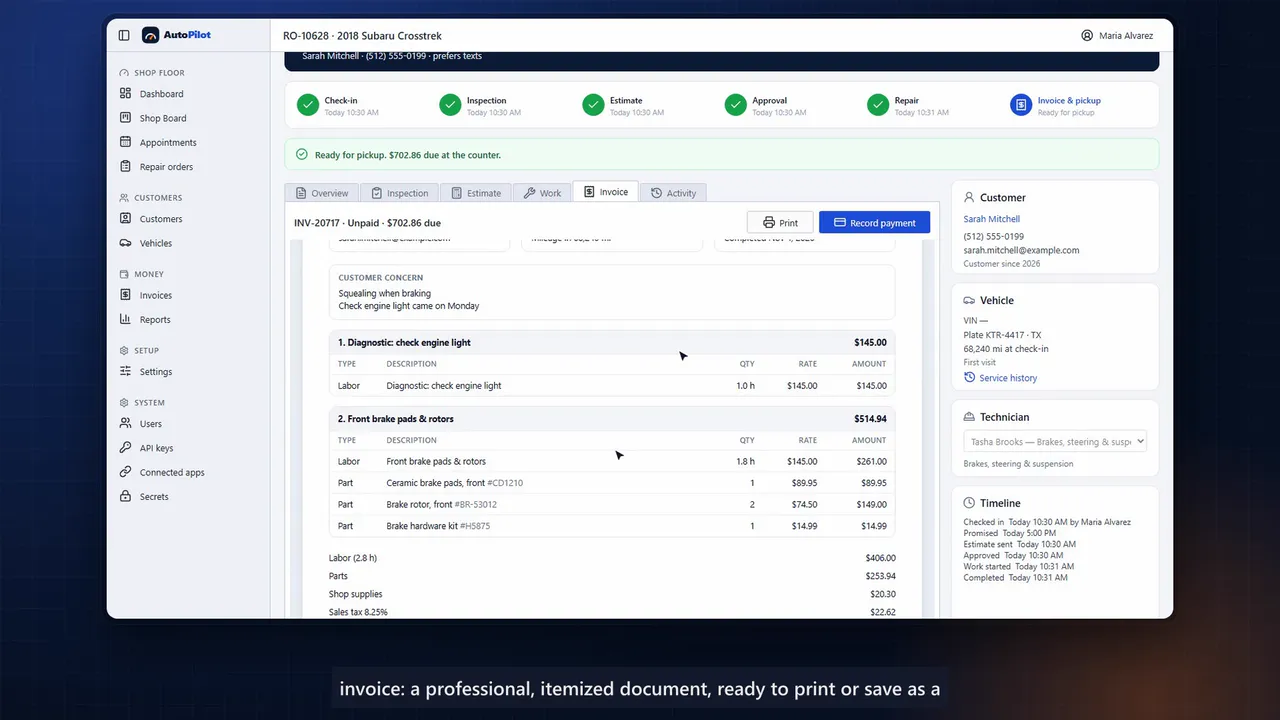
If more work turns up along the way, it goes back to the customer for approval. When everything is done, one click completes the repair and issues the invoice. A professional, itemized document, ready to print or save as a PDF. At the counter, the advisor records the payment.
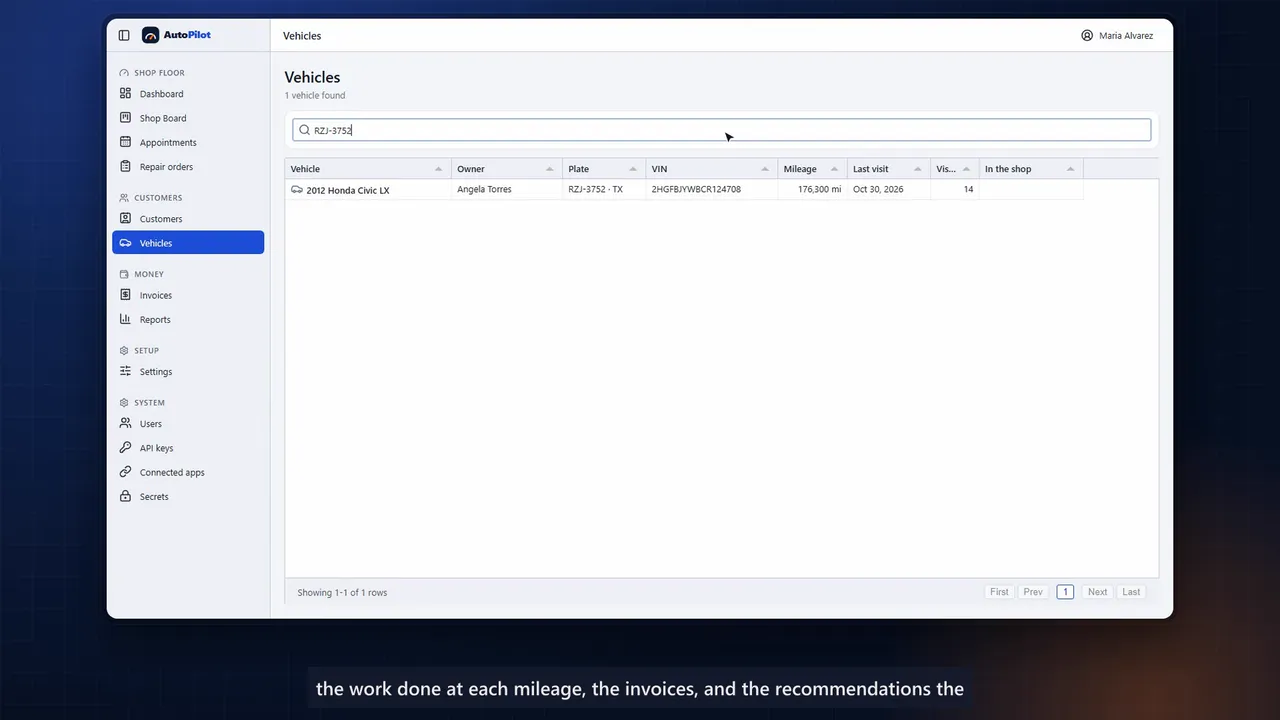
Paid in full, the repair order closes and the car goes home. Every visit builds the vehicle's service history. The work done at each mileage, the invoices, and the recommendations the customer declined. So the next visit starts with an informed conversation.
The owner gets the numbers that matter. Revenue by labor, parts, and fees. The average repair order, billed hours, and the effective labor rate. Open work by stage, the most performed services, and each technician's productivity.
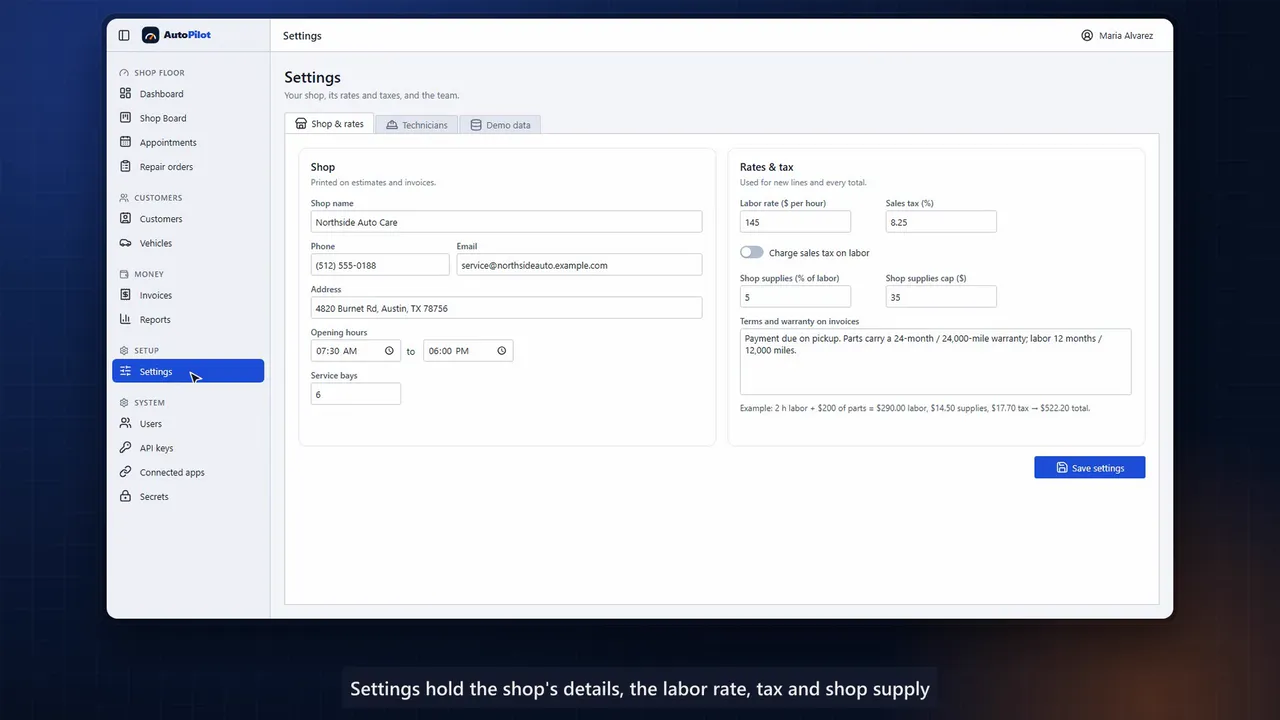
Settings hold the shop's details. The labor rate, tax, and shop supply rules, and the team of technicians. And roles keep everyone in their lane. A technician signs in to the shop board and the repair orders, while invoices, reports, and settings stay with the service desk and the owner.
AutoPilot, the whole repair visit in one place, built with AppMaker.
Demo application
Office & dispatch app + technician phone app
From the first call to the customer’s signature.
Demo application
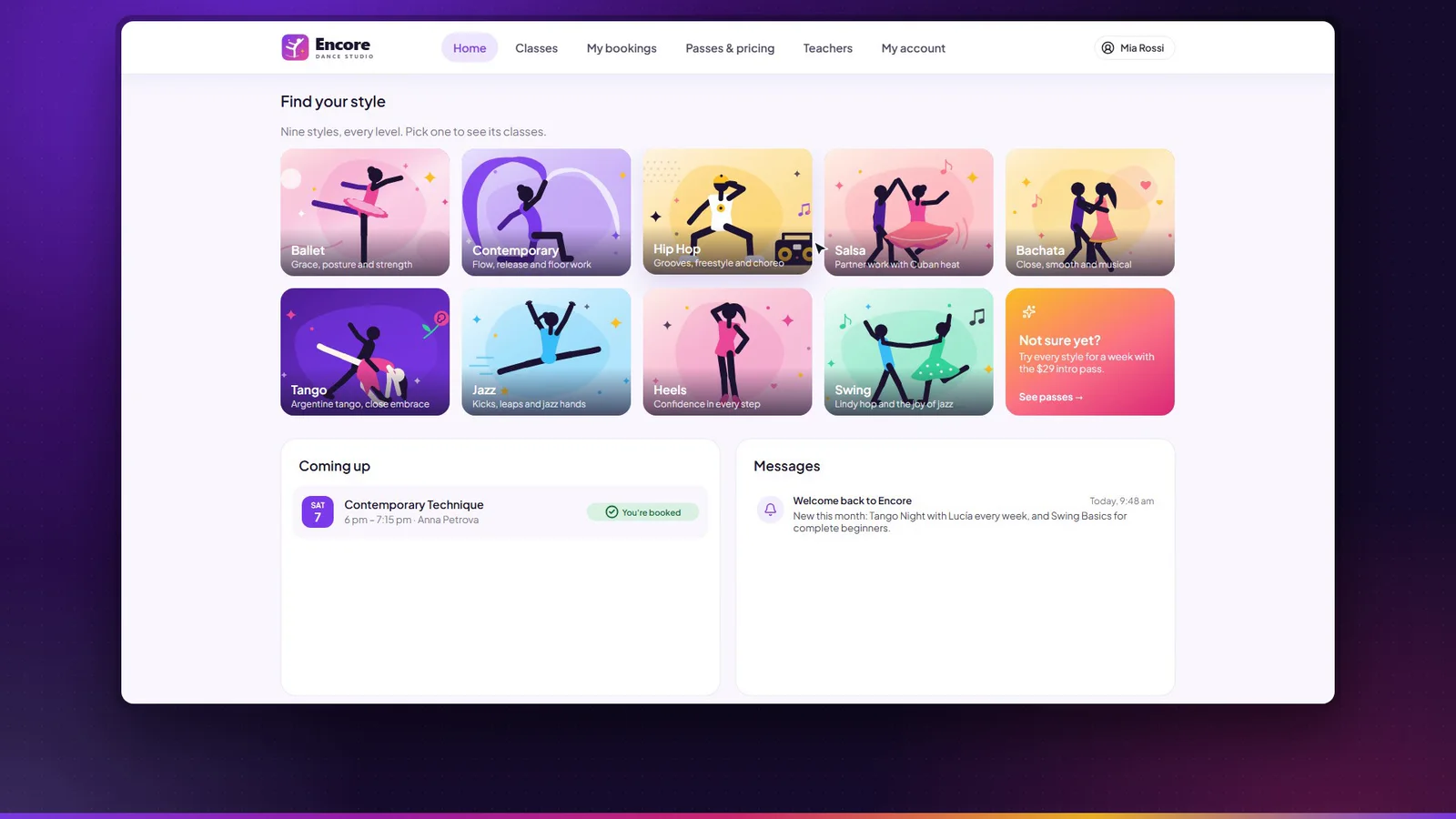
Class booking & studio management
Members book their place in class. The studio runs everything else.
Accelerator
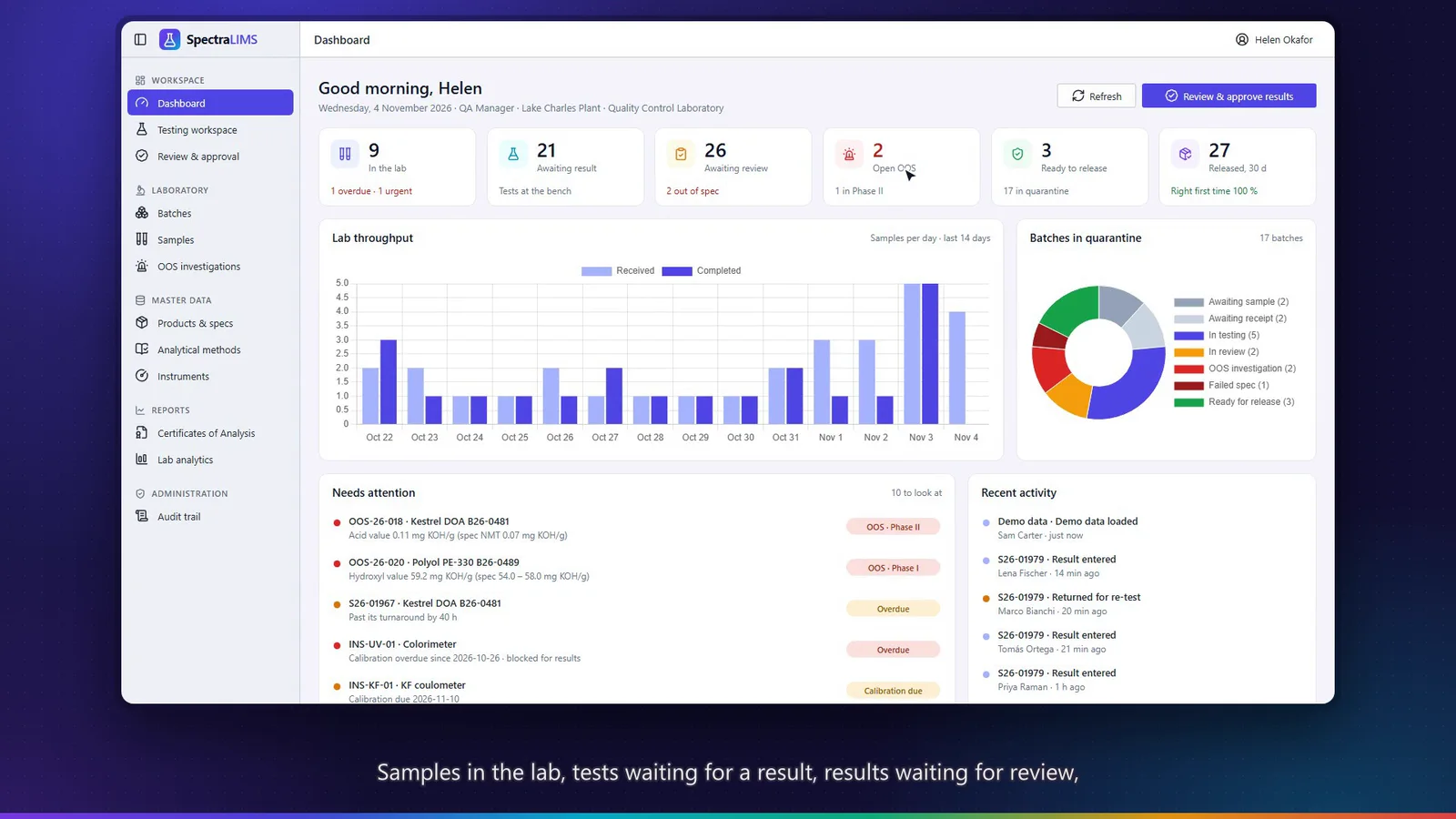
Quality-control LIMS for specialty chemicals
From batch to certificate, every result traceable.
Tell us about your organization and what you would change. We’ll discuss how to adapt it — or what a new application would look like.