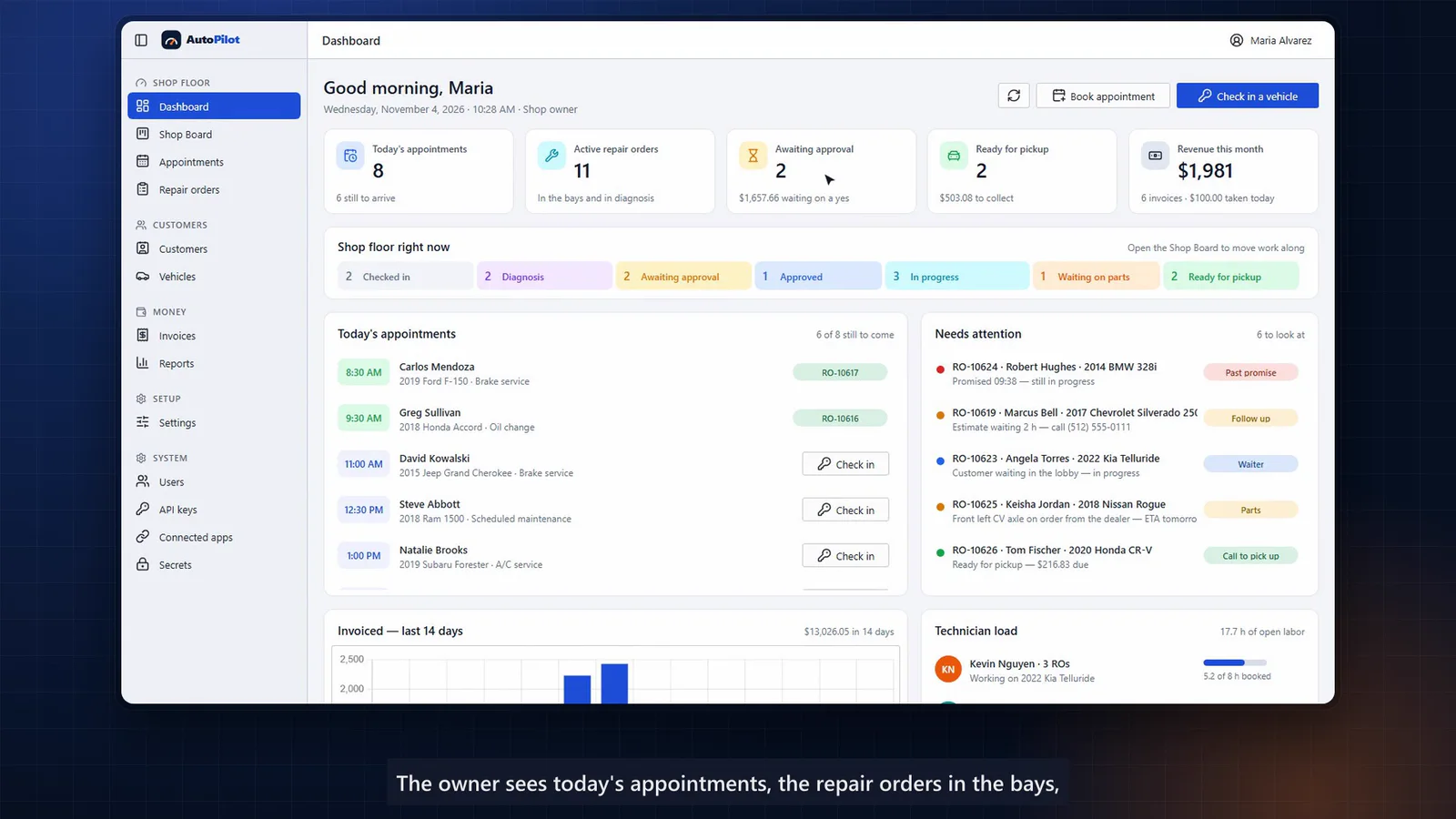
Demo application
AutoPilot
Auto repair shop management
The whole repair visit, in one place.
- Shop board
- Appointments
- Customers & vehicles
- Repair orders
Two connected apps for a home-services business: an office app for customers, work orders, scheduling and dispatch, and a phone app that takes technicians from “start travel” to a signed-off job.
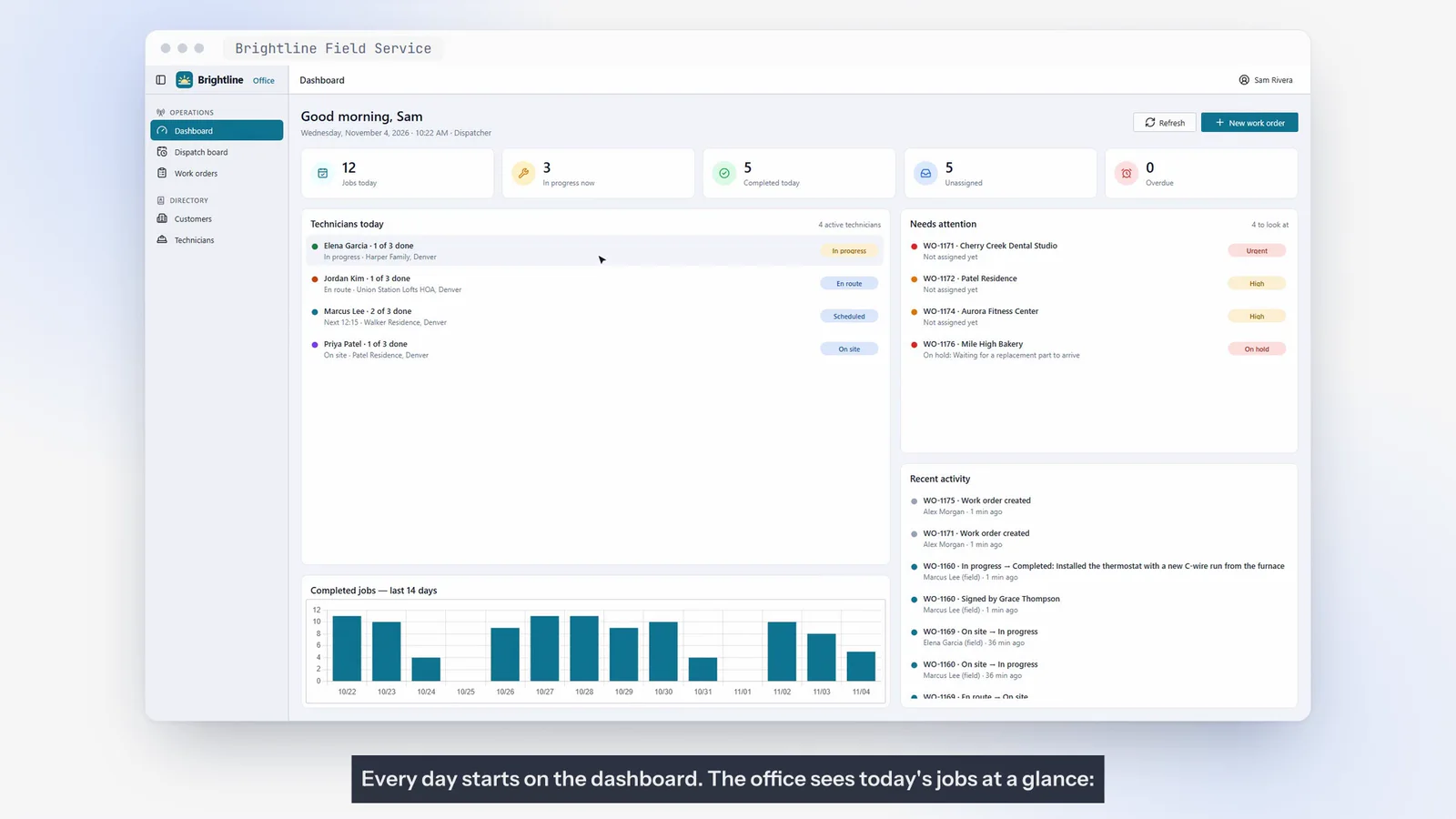
Today’s jobs at a glance — who is on site, who is on the way, and what needs attention: urgent requests, overdue visits and jobs on hold.
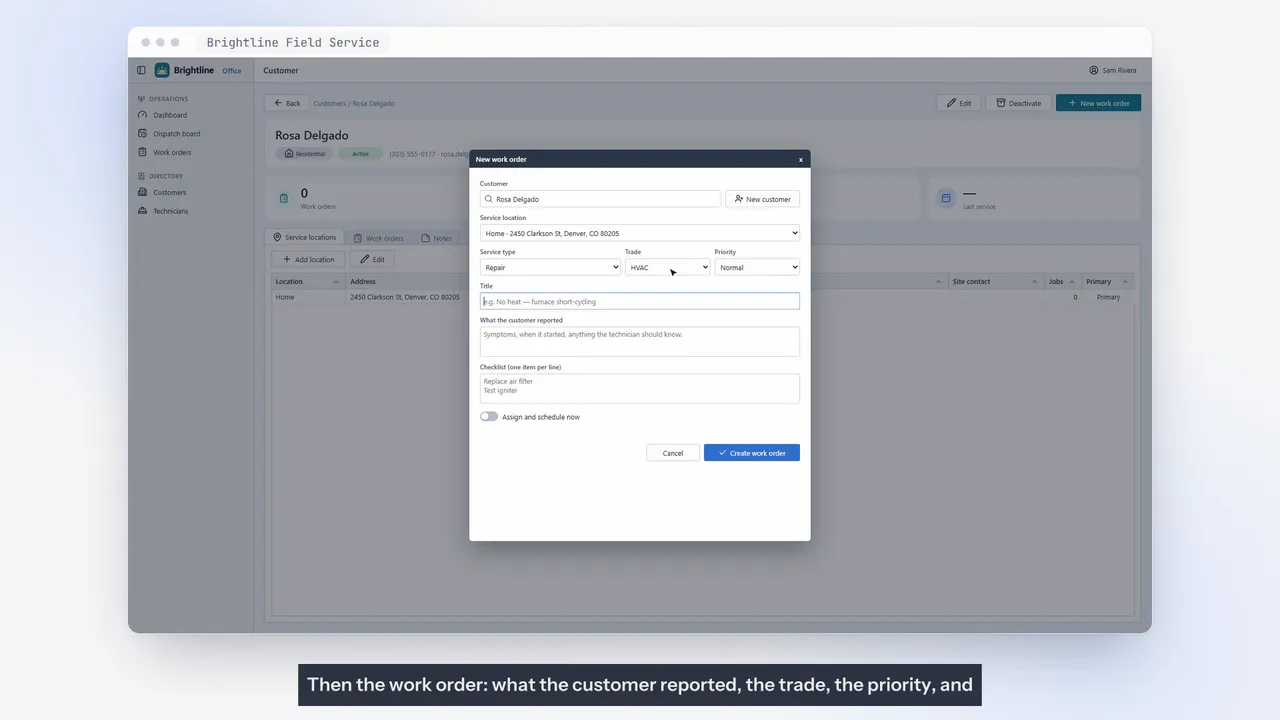
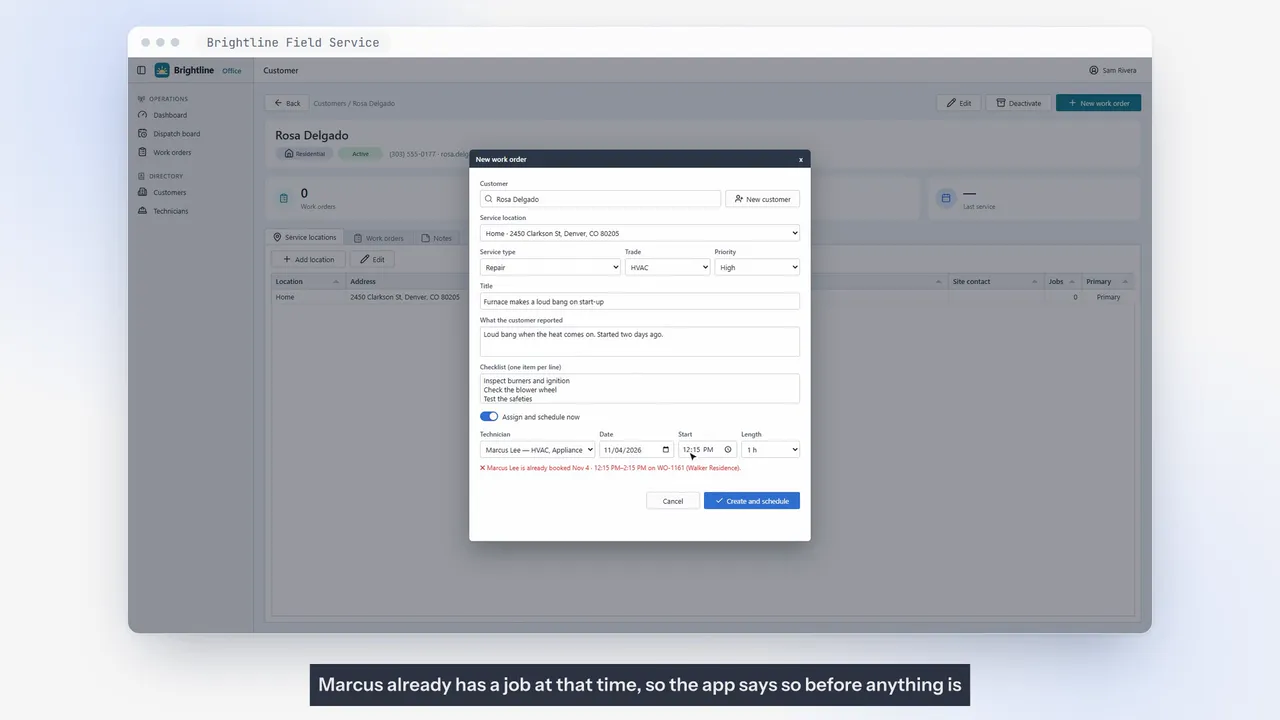
Booking a technician who is already busy is flagged before anything is saved, so double-bookings are caught at the source.
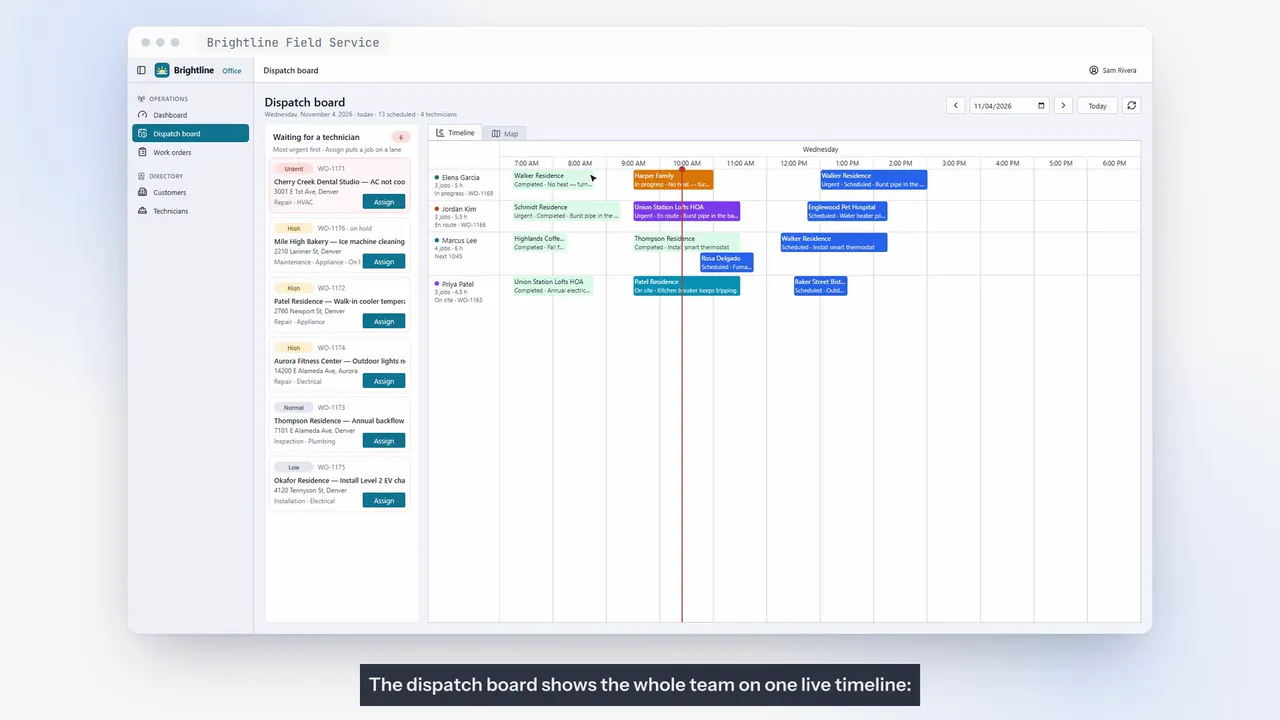
The whole team on one timeline — finished work, technicians on the road, jobs in progress and the queue still waiting — plus a map of where everyone is headed.
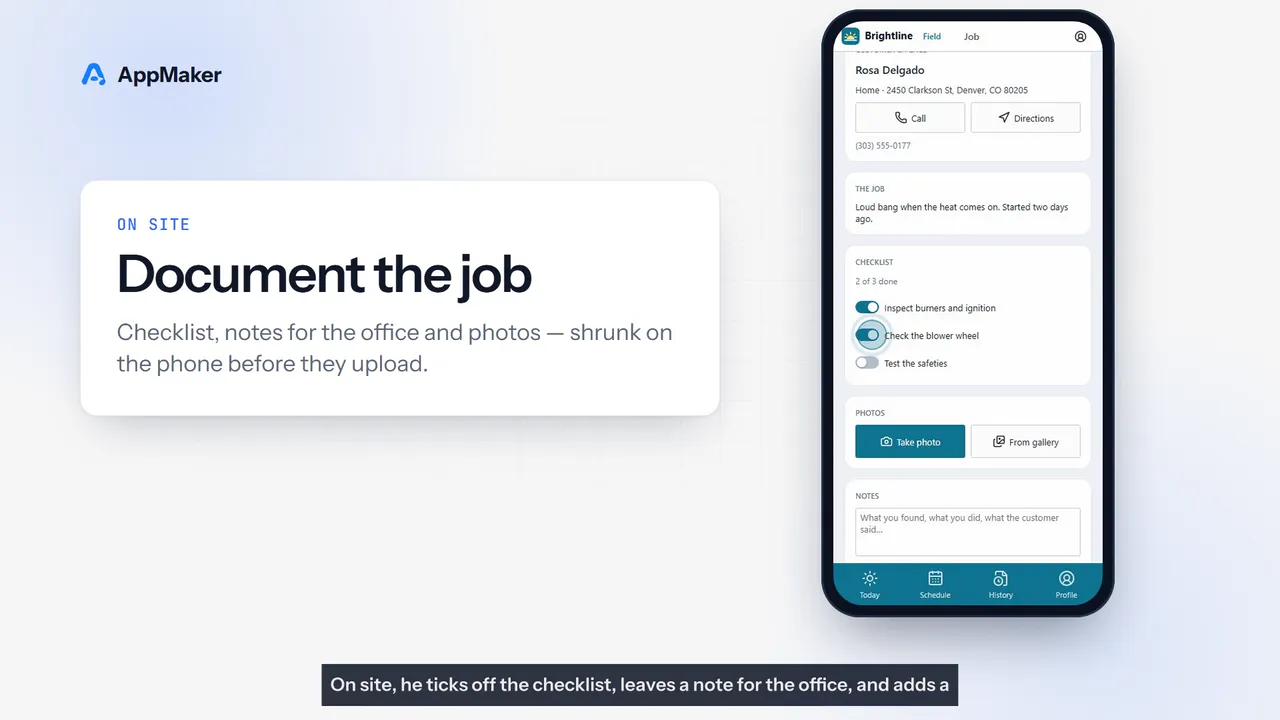
One big button moves the job forward: start travel, arrived, start work. Checklists, notes and photos that are resized on the phone so they upload on a weak signal.
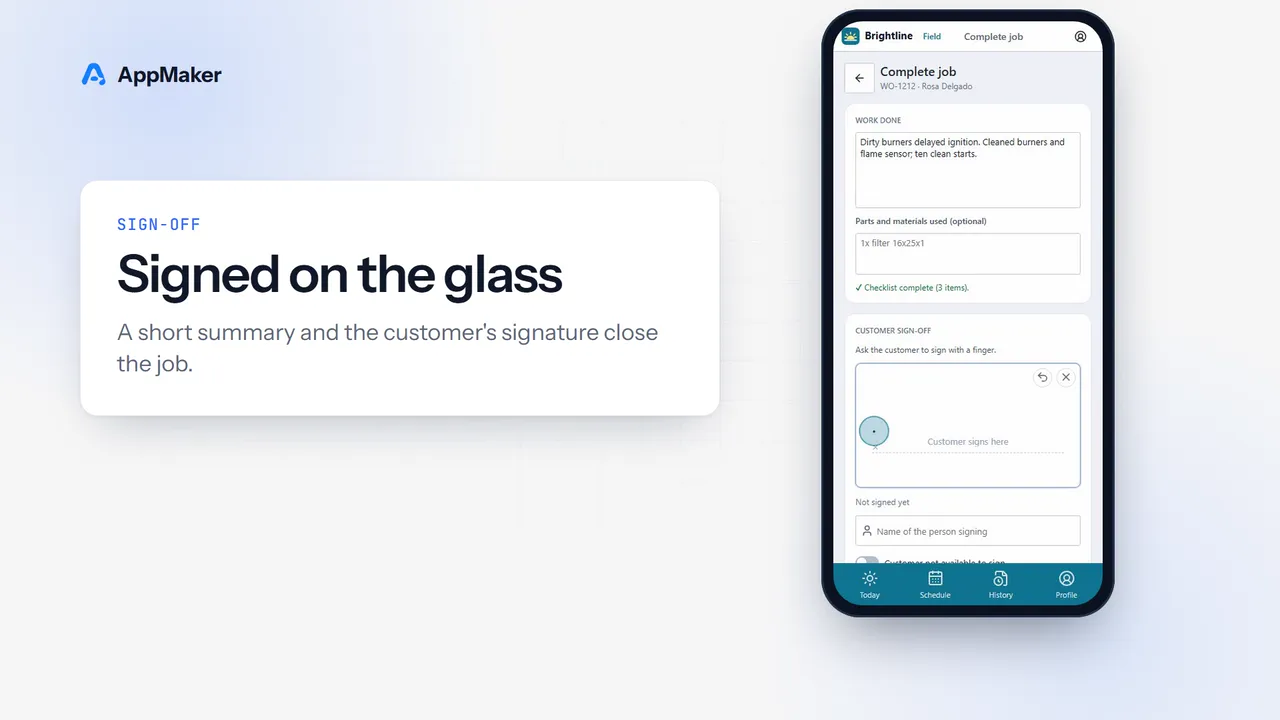
A short summary and the customer’s signature close the job. The office sees the summary, photo and a timeline of who did what, and when.
The office app owns the data. The phone app talks to it only through a secure API, roles decide who can do what, and technicians only see their own jobs.
Modules shown
Frames from the walkthrough. Every screen can be adapted — fields, workflows, terminology and branding.
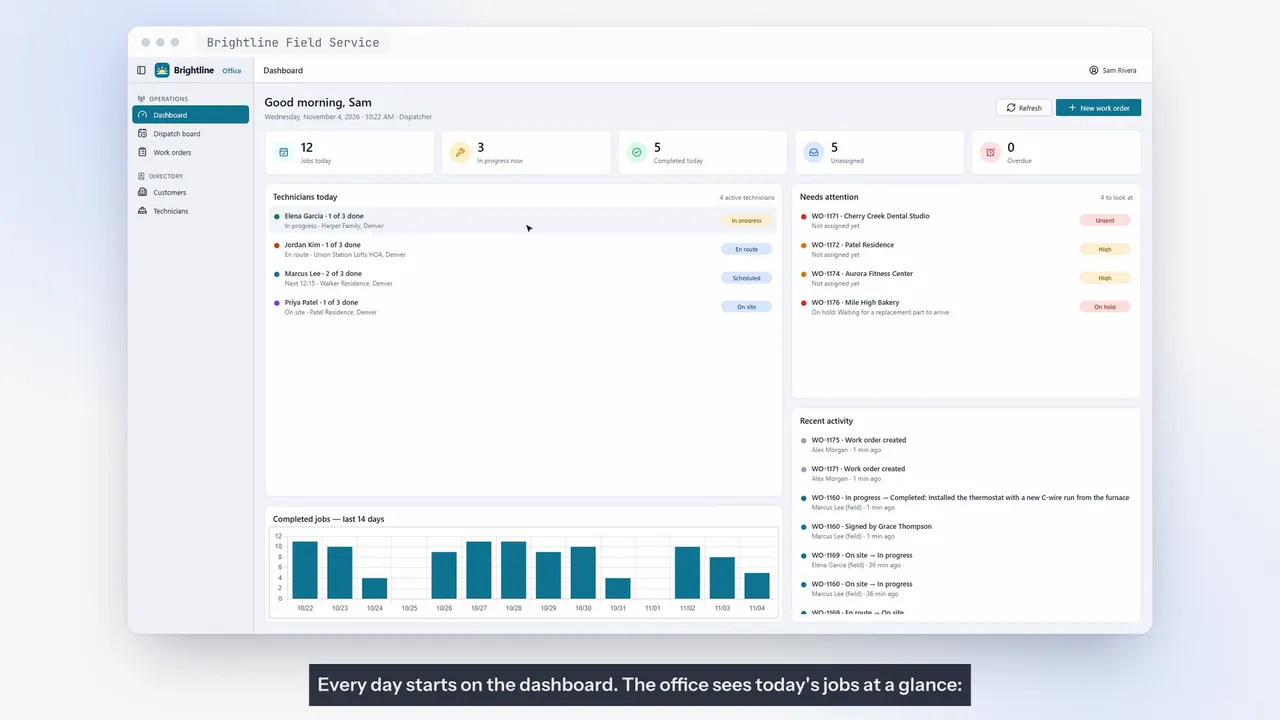
Meet Brightline Field Service, two apps that run a small home services business from the first phone call to the customer's signature. Every day starts on the dashboard. The office sees today's jobs at a glance — who's on site, who's on the way, and what needs attention — urgent requests, overdue visits, and jobs on hold. A customer calls about a noisy furnace.
The dispatcher adds her in seconds — name, phone, and the service address. Then the work order — what the customer reported, the trade, the priority, and a short checklist for the technician. Scheduling checks the technician's day as you type. Marcus already has a job at that time, so the app says so before anything is saved.
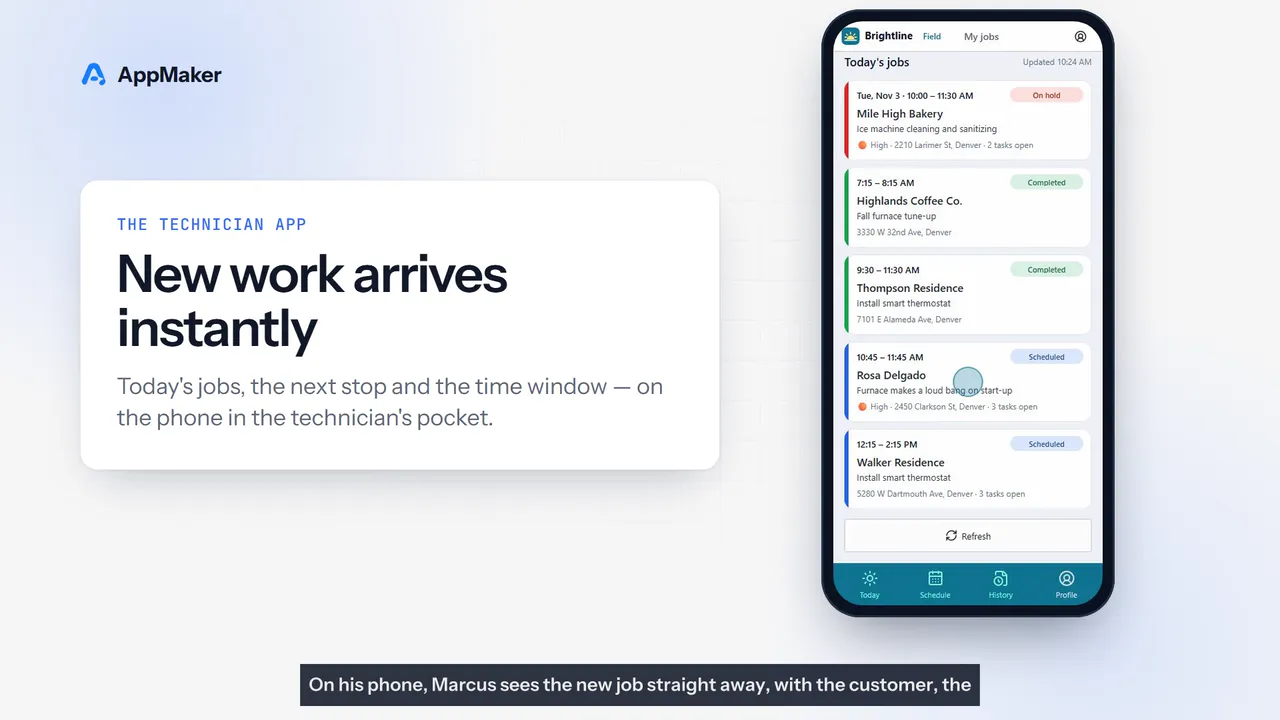
An earlier slot is free — booked. The dispatch board shows the whole team on one live timeline — finished work, technicians on the road, jobs in progress, and the queue still waiting for someone. The map shows where everyone is headed. On his phone, Marcus sees the new job straight away, with the customer, the address, and the time window.
One big button moves the job forward. Start travel. I've arrived. Start work.
The office sees every step the moment it happens. On site, he ticks off the checklist, leaves a note for the office, and adds a photo. Pictures are shrunk on the phone, so they upload fast even on a weak signal. To finish, he writes a short summary, and the customer signs right on the screen.
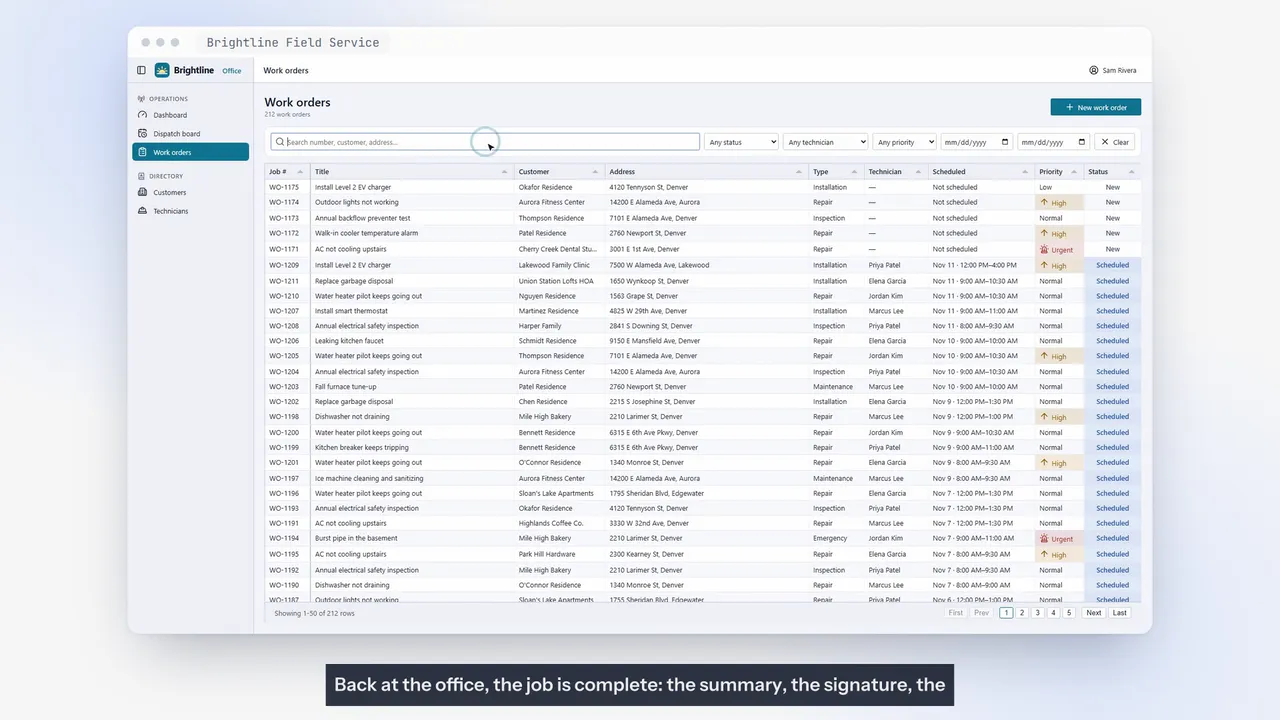
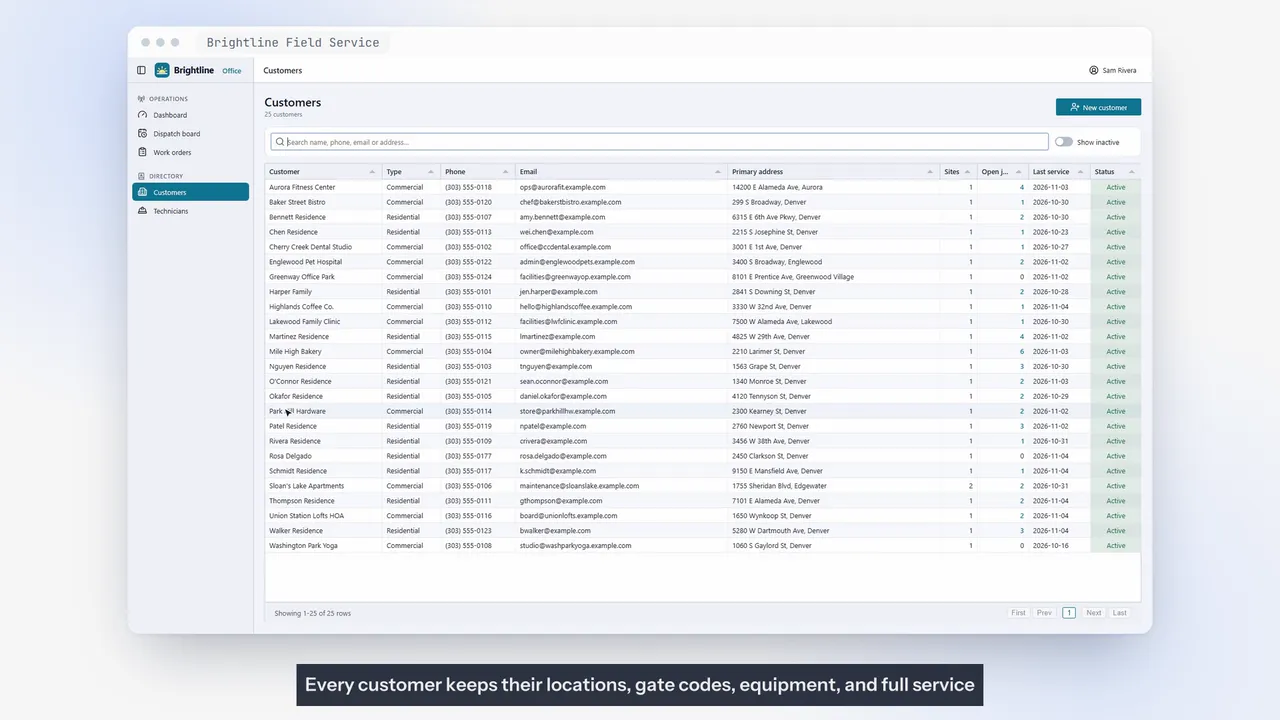
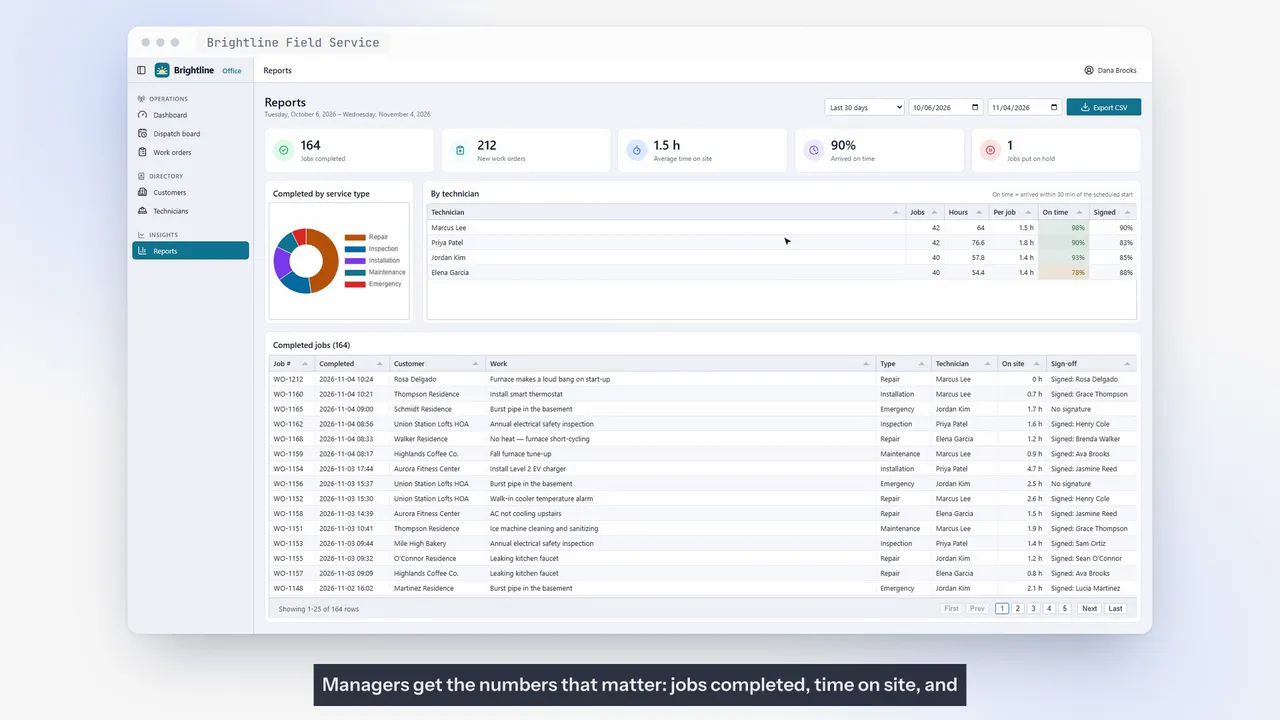
Back at the office, the job is complete — the summary, the signature, the photo, and a timeline of everything that happened, with who did it and when. Every customer keeps their locations, gate codes, equipment, and full service history, so the next technician arrives prepared. Managers get the numbers that matter — jobs completed, time on site, and on-time arrivals for each technician. With a CSV export for the accountant.
Under the hood, the office app owns the data. The phone app talks to it only through a secure API, roles decide who can do what, and each technician only ever sees their own jobs. Brightline Field Service. Dispatch smarter, finish faster, and keep every job on record.
Demo application
Auto repair shop management
The whole repair visit, in one place.
Demo application
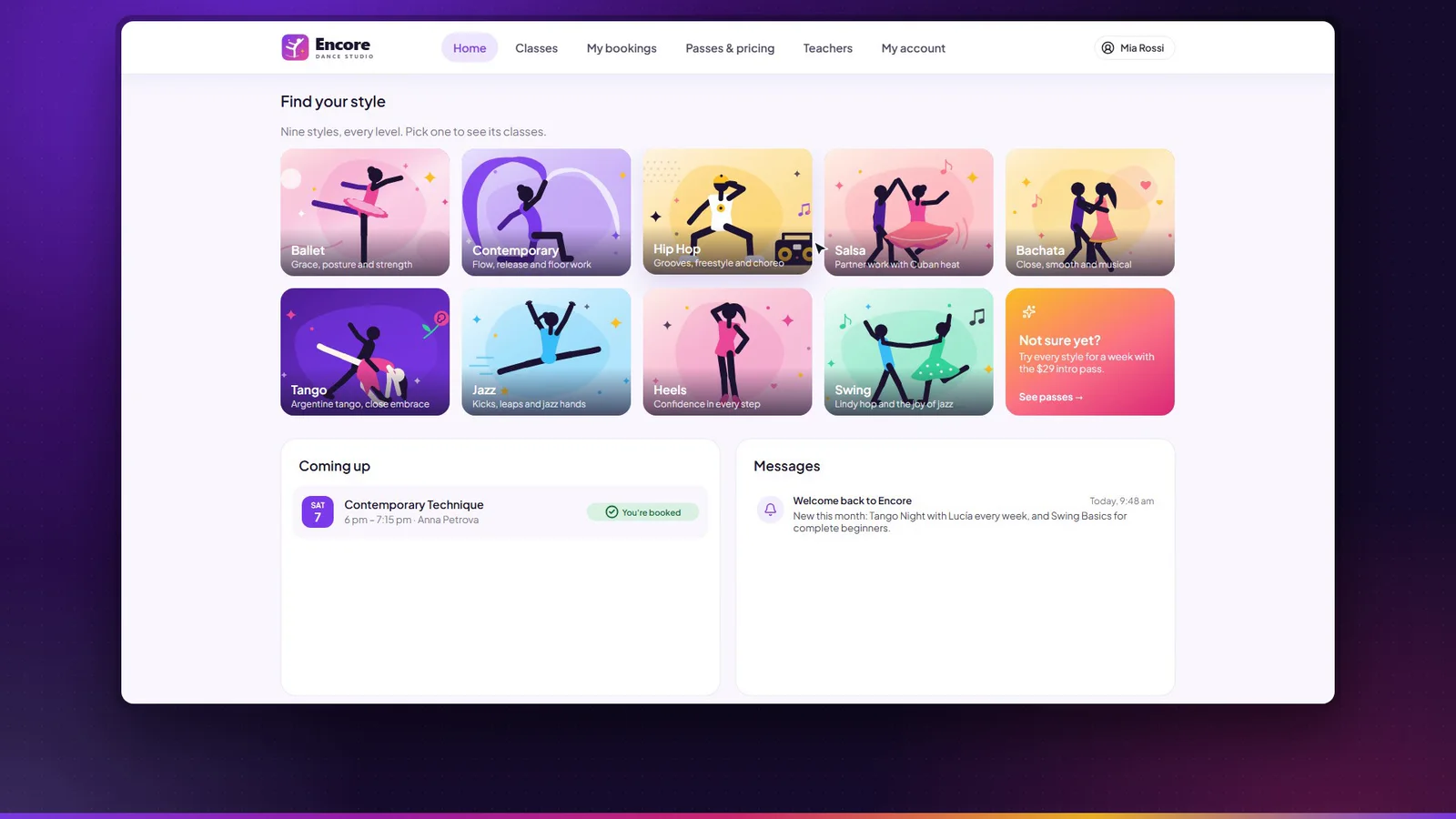
Class booking & studio management
Members book their place in class. The studio runs everything else.
Accelerator
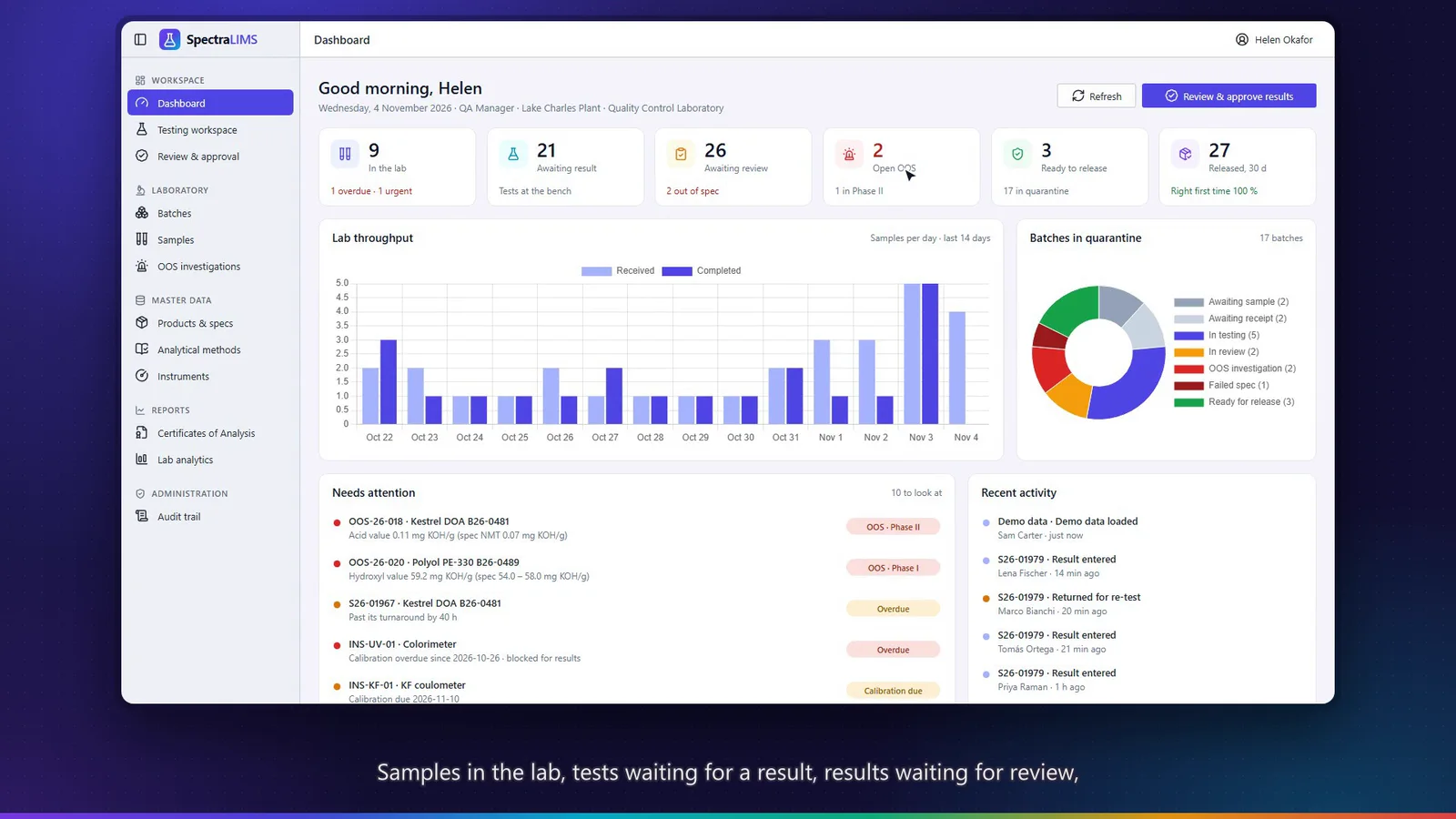
Quality-control LIMS for specialty chemicals
From batch to certificate, every result traceable.
Tell us about your organization and what you would change. We’ll discuss how to adapt it — or what a new application would look like.